
Have you ever seen a black-and-white professional headshot on a company website or LinkedIn profile that looked artsy, classy, and cool?
We certainly have.
This style of headshot has become a major trend, especially among financial and healthcare companies that want to add a “cool factor” to their company headshot brand.
However, some marketers are worried that a black-and-white headshot might look less professional than a full color portrait of their employees.
In this article, we’ll cover the issue and give some tips.
First Question, Are Black-And-White Headshots Professional?
So, while it’d be easy to give our opinion and end the issue there, we love data at HeadShots Inc, so we actually ran an experiment on the subject.
In the experiment, we used photofeeler.com to ask 240 anonymous photo reviewers to rate 3 sets of headshots, each set has a colorized and b&w version of the same photo. The photos were rated based on the subject’s perceived competence, like-ability, and influence on a scale from 1-10.
Here are the scores:
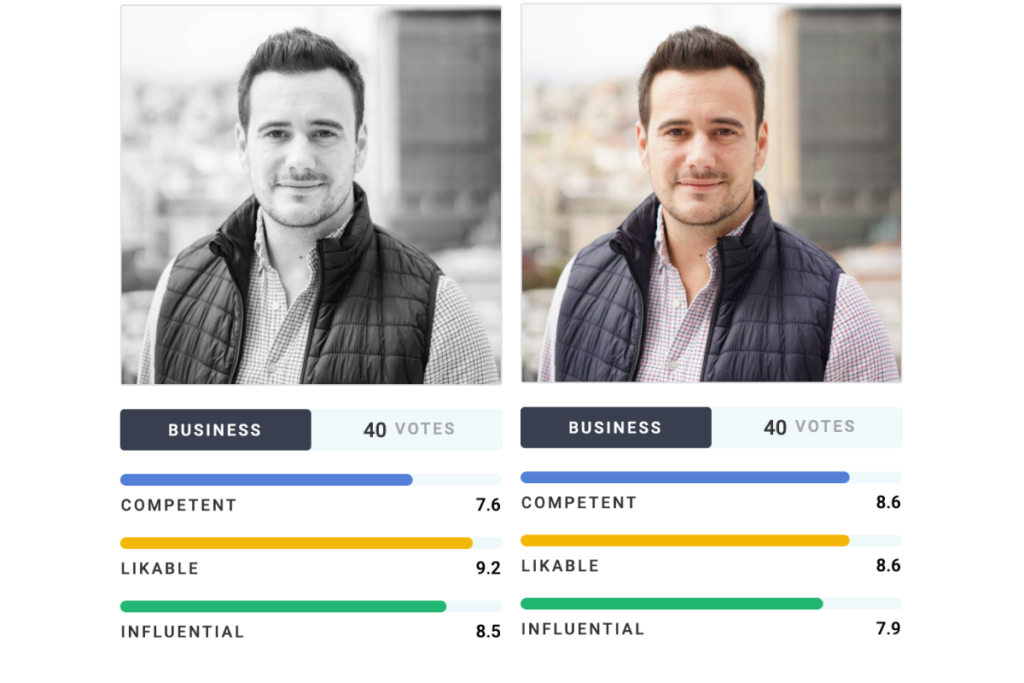
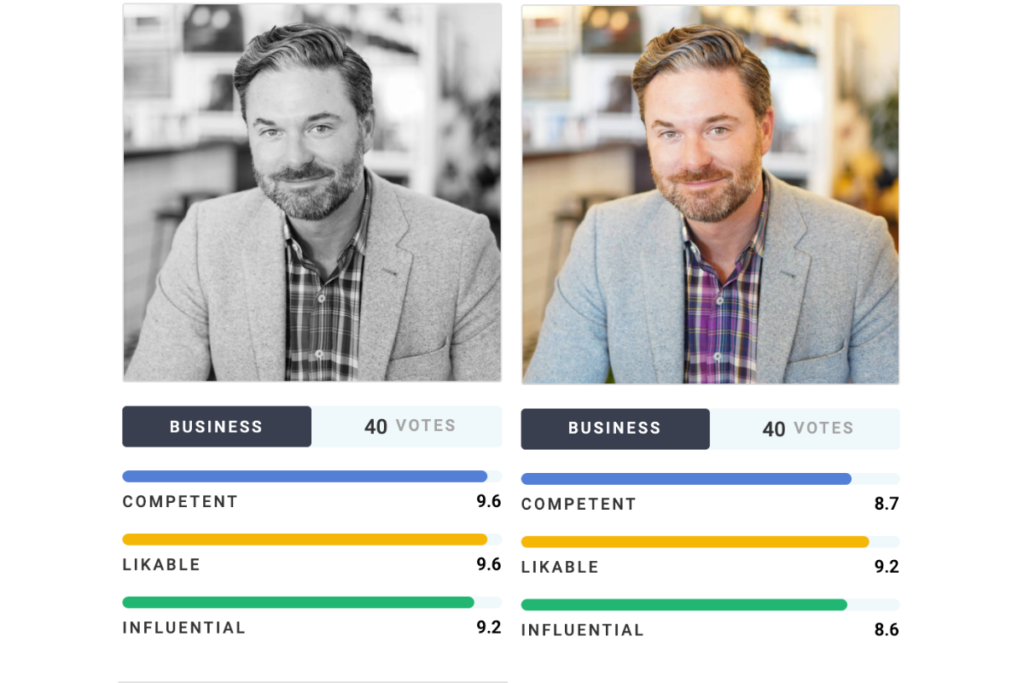
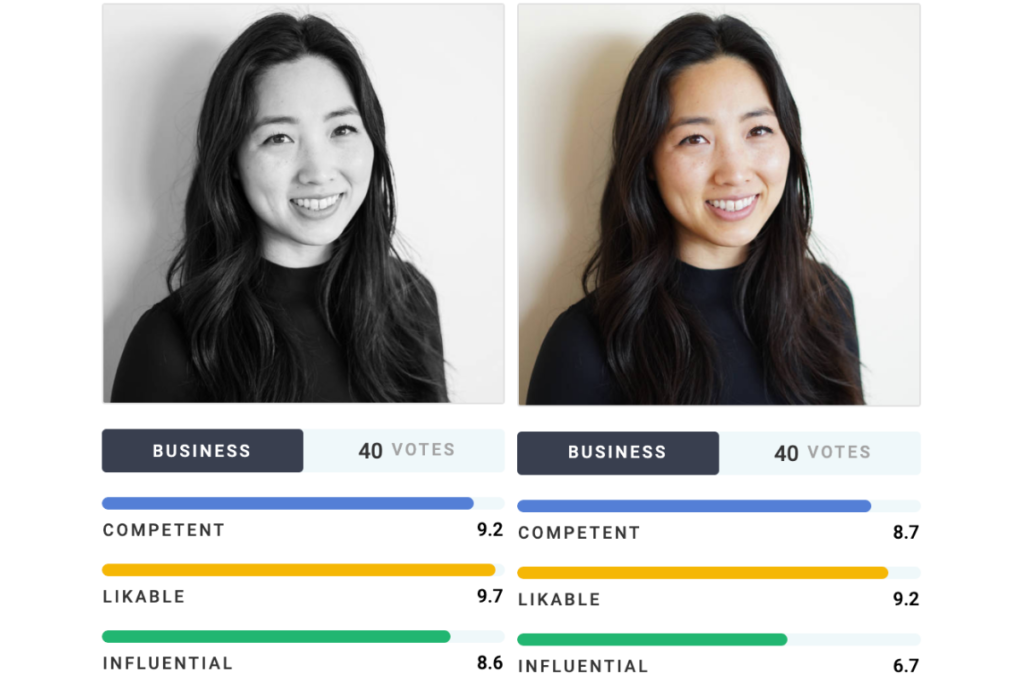
As you can see, white-and-black photos performed well across the board. You’re definitely not getting dinged by website visitors or hiring managers because your photo is b&w. Some b&w photos actually outperformed color versions!
The difference in scores wasn’t large enough to imply that you should always use black-and-white headshots. But, there’s definitely nothing wrong with removing color from the photo.
So, if you want to use black-and-white, go for it!
Three Tips for Black-And-White Headshots
First off, you still need to have a high-resolution original photo to use. Don’t slap a filter on a selfie and figure you’re all set. Viewers can easily tell the difference between a cell phone photo and a professional headshot.
Second, black-and-white portraits look best on a white studio backdrop. The white backdrop will ensure that you “pop” off the background. Outdoor, office, and colored backdrops look muddled when combined with a b&w filter.
Third, remember to ask your headshot photographer to make the photo black-and-white. We have tons of different black-and-white filters to choose from within our editing software, so will be able to find a filter that best suits your complexion, clothing, and background.
—–
That’s a wrap! Thanks for reading and feel free to reach out with any questions.