Ultimate LinkedIn Cover Photo Guide: Updated for 2021

In many ways, your LinkedIn cover photo says a lot about you.

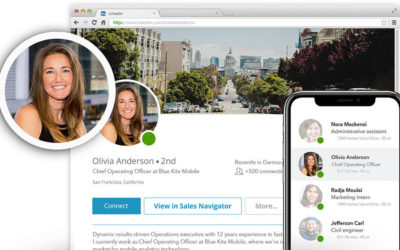
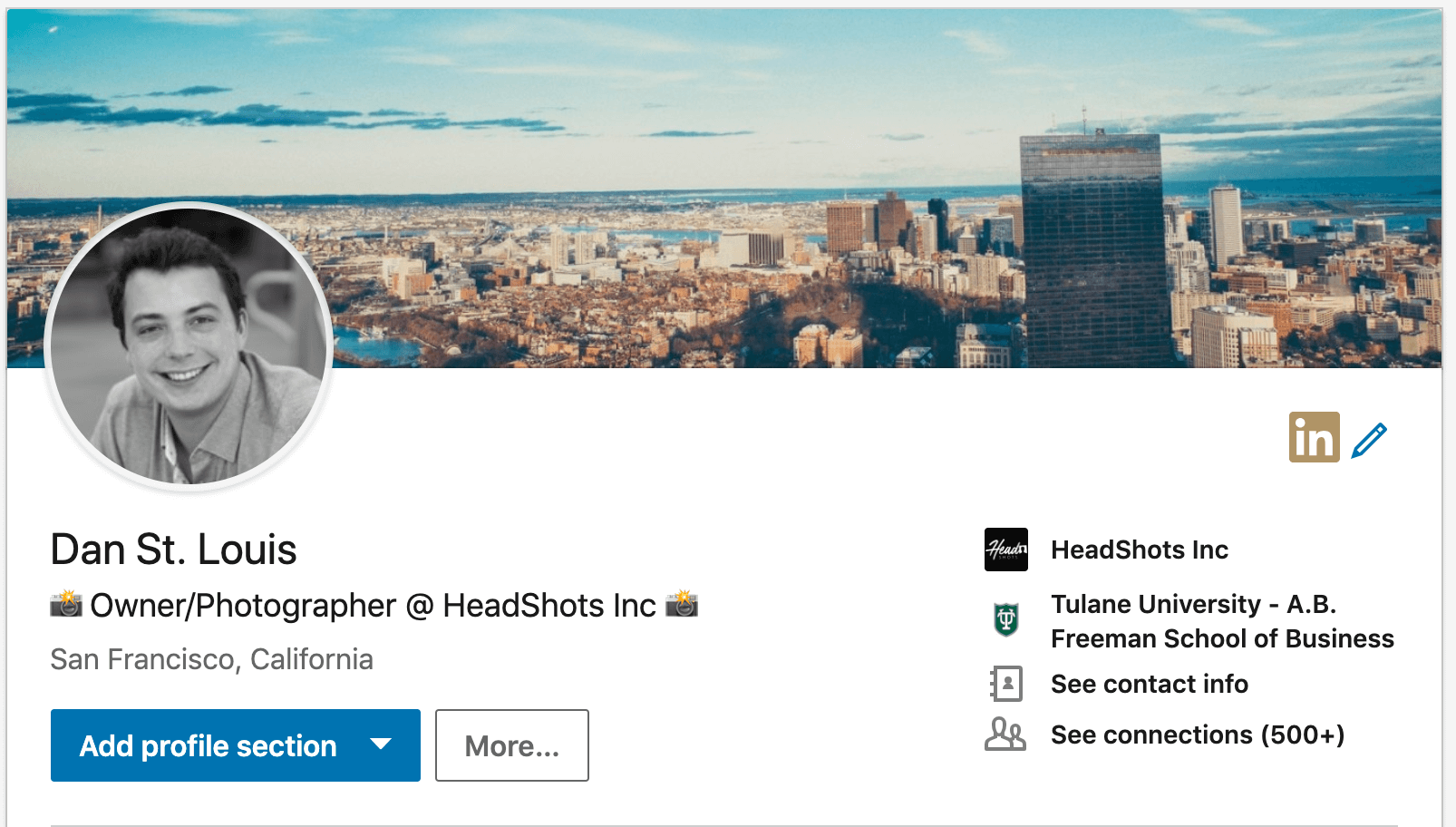
From a visual standpoint, your cover photo takes up about 20% of the real-estate on the screen when you open your profile – which is larger than any other single object on your profile. So while it’s not as important as your profile photo, it can definitely “set the vibe” for anyone who views your profile.

How to Pick An Awesome LinkedIn Cover Photo

For example, you could be portrayed as “friendly and open” with a brightly colored cover photo with lots of people in it, or you could go for “serious and innovative” with a dark and techie photo of a computer, or you could say you “love your employer” by taking a branded photo from your company’s website.

If you work at a big company, just Google “[Insert Company Name] press kit” and there should be some good photos there.

Do you, or someone you love, have an awful LinkedIn profile photo? Check out The 8 Hilariously-Bad LinkedIn HeadShots We All Have to see. 

In total, here are the three steps:

First Step: Think About the Type of Image You’d Like to Portray

So, the first step is to think about what type of image you’d like to portray.

In general, you can use common sense to match your photo to your industry.

If you’re in finance or law, you’ll want to go with a conservative cover photo. If you work in interior design, you’ll want a photo that reflects a beautiful residential/commercial space etc.

Second Step: Search the Web for Free High-Quality Stock Photos

After you do that, the easiest source for high quality royalty-free images from unsplash.com. From here, you can browse thousands of photos with different styles.

If you don’t know what photo to use, just grab a cityscape photo from here: Unsplash cityscape.

Third Step: Crop the Photo From Within LinkedIn’s Profile Page

Go to your LinkedIn.com profile page. To the right of your profile, there will be a little blue pencil icon. Click on that, and then upload your new cover image.

Does your social-media profile even matter? Check out the Do Business Headshots Really Matter? [Video Report] to find out.

—-

Now you’re off to the races! You’ll have a profile with a great cover photo that helps you build your personal and professional brand.

Thanks for reading! Comment below if you have any questions. If you want a quick answer, please email us at smile@headshots-inc.com.

Recent Posts

Top Three Events Perfect for HeadShots Conference Booths

Top Three Events Perfect for HeadShots Conference Booths

HeadShots is proud to partner with brands and show coordinators to offer a professional headshot booth at major events, conferences, and expos around the US, Canada, and the UK. Here are best types of events for HeadShots Booths: Event Type #1: Business Conference...

Why Invest in Group Headshots for Your Team?

Why Invest in Group Headshots for Your Team?

Delivering great first impressions and maintaining quality in a relationship is something every business strives for on every sales call and client meeting. Keeping your group corporate headshots updated helps you start that relationship on the right foot and helps...

Let’s Get Social: San Francisco

Let’s Get Social: San Francisco

HeadShots Inc is making a big push to share the latest news, promotions, and offers on all of our social channels. For customers and followers who want to see the latest content, please feel free to follow us at the below links: Facebook: Facebook Profile LinkedIn:...

That’s a Wrap!: Series 1

That’s a Wrap!: Series 1

We had a blast at Square Unboxed Conference last Thursday. Square Inc invited us to host over 120 participants through short sessions designed to get high quality business headshots. Here were some of our key take-aways: Take-Away #1: Short Headshot Sessions Can Work...

Why is My LinkedIn Profile Photo Blurry?

Why is My LinkedIn Profile Photo Blurry?

There is almost nothing that breaks our hearts more than a blurry LinkedIn headshot. After spending time and money on a high-resolution portrait, some people have reported that their profile photo looks “blurry” on LinkedIn. And there’s been a major uproar recently...

The Business Case for Company Headshots

The Business Case for Company Headshots

Ask any Vice President of Sales in a major corporation "Do first impressions matter?" when meeting customers, and they will undoubtedly respond "of course." She will tell you that earning credibility with customers from the very first engagement is absolutely critical...

Are Professional Headshots Important? [Video Report]

Are Professional Headshots Important? [Video Report]

When you were growing up, you probably remember your mom or dad reminding you, before a big job interview or first day at school, of the importance of first impressions. Dress nice. Smile when meeting people. Make eye contact. But, these days, most first impressions...

8 Types of Hilariously Bad LinkedIn Profile Photos: Updated 2020

8 Types of Hilariously Bad LinkedIn Profile Photos: Updated 2020

Note: To avoid shaming anyone, we didn't include real examples from real people. Instead, we had the cartoonists depict our favorite (most hated) bad LinkedIn headshots. For those of you who have one of these photos, you know who you are... LinkedIn is the world’s...

What’s Included With HeadShots Inc Editing

What’s Included With HeadShots Inc Editing

If it's your first time getting your professional headshot taken, you might be wondering what "retouching" or "airbrushing" means on our pricing page. In fact, some people come into our studio without knowing that the service is included with their session. Simply...

So I Got My HeadShot – Now What?​

So I Got My HeadShot – Now What?​

Great question. It’s time to get the most out of your new professional headshot. First, take stock of all platform or channels that currently have your old photo. These likely include, but are not limited to: 1) LinkedIn.com 2) Email Profiles 3) Internal Company...